Self Service Password Reset and Account Unlock
Enables users to take control of password resets, account unlocking and minor active directory account updates.














With IT teams under increasing pressure, any means of automating time consuming yet unproductive IT tasks is always well received. Using our Active Directory self-service password reset solution IT teams can delegate account Unlock, password resets and other menial Active Directory update tasks to the users themselves. It’s better for IT, better for the users and better for the business as a whole.
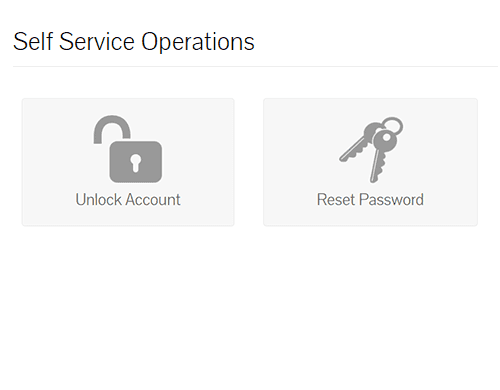
Password reset and locked accounts are a common problem for the IT team, both of which take up valuable time and resources for either the IT team or the users themselves. With this solution any enrolled employee can be granted the right to reset their password or unlock account without having the call the IT team. This solution works in the following ways:
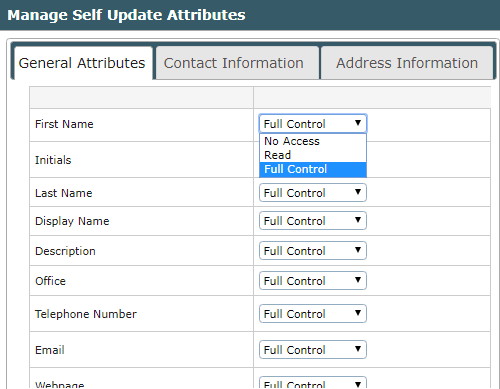
Using Lepide Active Directory Self Service enables domain users to update their Active Directory account attributes with ease. We do this in a secure and managed way to ensure complete control on what the users are allowed to see, modify or edit. Active Directory attributes are classified into three sections namely General, Contact, and Address, and we allow the administrators to predefine which AD attributes can be updated by the user by configuring each of these with the following:
In this whitepaper, we will explore some of the most common attack methods and provide advice on how to mitigate them.
Get the free guide now!
Lepide Active Directory Self Service is an effective solution to automate user account unlock and password reset activities. It is a must have tool for simplifying Active Directory self-service management.
 Vinicius Mozart Microsoft MVP

I am really impressed with Lepide Active Directory Self Service. Before review, I thought it might just be another expensive and complicated Self-Service Solution requiring manual installation. That couldn’t be further from the truth!
 Erik Blum Editor

The tool is very user friendly and easy to implement. Organizations with a high number of helpdesk tickets opened for password resets and locked account issues will benefit massively from using this solution.
 Paolo Valsecchi Nolabnoparty.com