Lepide Auditor
Change Auditing and Reporting Solution
Audit and report on changes taking place to your key systems and data to help reduce your threat surface area, detect threats and meet compliance demands.
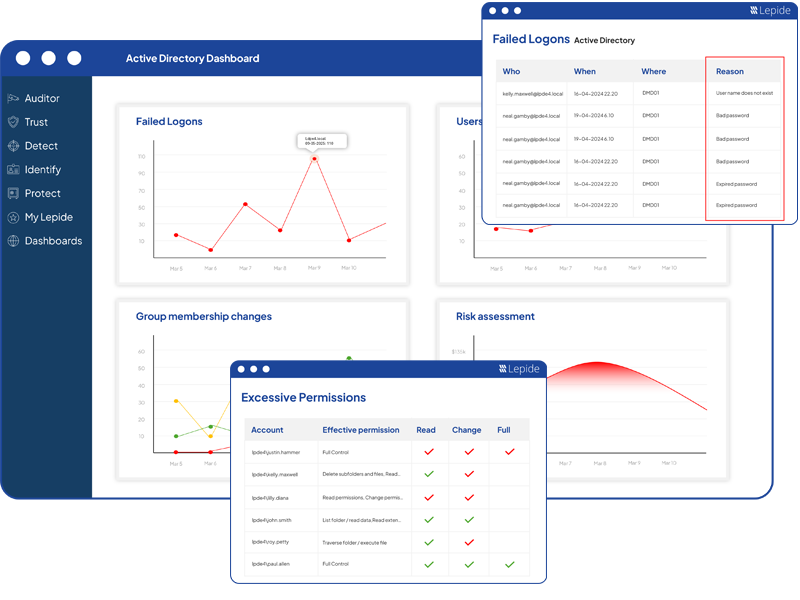
Ensure that you are able to proactively and continuously audit, monitor and alert on changes to systems, configurations and data. With Lepide Auditor, you can audit any change made on-premise or in the cloud to help you improve visibility, security and compliance-readiness.
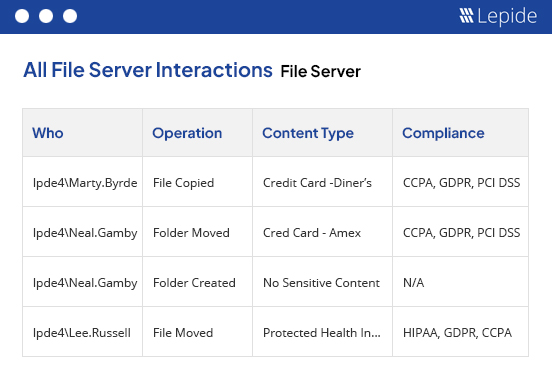
Audit changes and interactions on a wide variety of on-premises and cloud platforms, including Active Directory, File Server, Exchange, Microsoft 365, and more with Lepide Auditor. Audit how your users are interacting with your sensitive data, including moving, copying, renaming, modifying, deleting, and more. Consolidate raw log data into actionable, easy-to-understand reports. Access hundreds of pre-defined audit reports or customize your own reports to get the information you need.
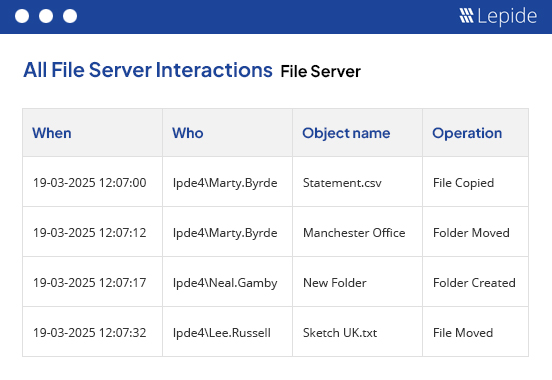
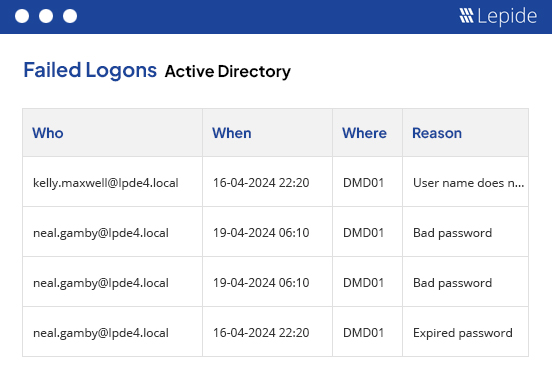
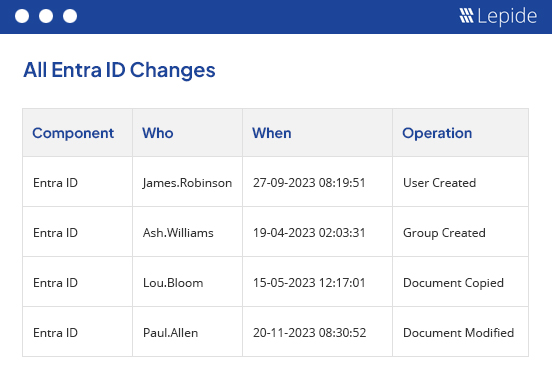
Lepide Auditor identifies states and configurations that are posing risk to your sensitive data. Spot data open to all users through open shares, identify inactive users and stale data, list users with non-compliant passwords, and much more.
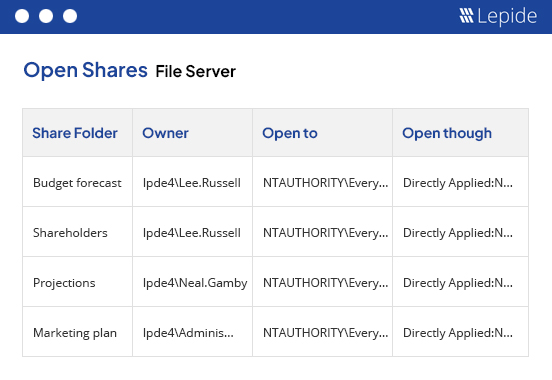
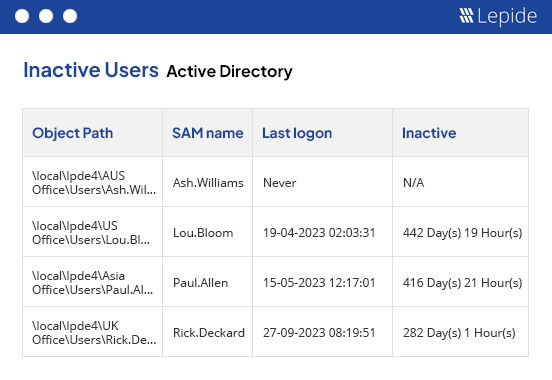
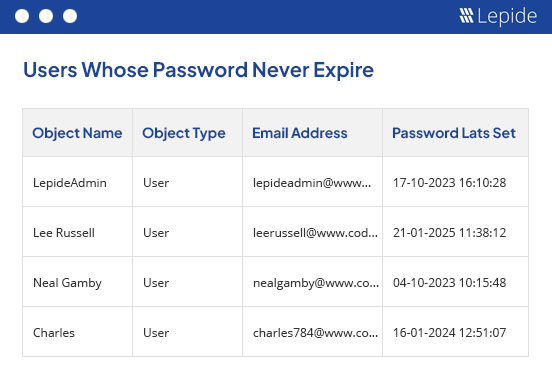
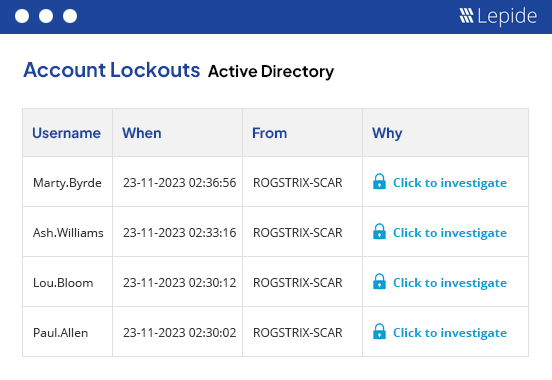
Lepide Auditor will help you speed up and simplify time-consuming tasks that often consume the free time of the IT team. Lepide Auditor can easily restore unwanted changes, such as deleted objects, investigate the source of account lockouts in AD, and remind users to reset their passwords at regular intervals. This frees up your IT team to focus on more important tasks, such as maintaining the security of your sensitive data and identities.
Lepide Auditor comes packaged with hundreds of pre-defined reports designed to help your organization meet the audit requirements of compliance regulations, including GPDR, HIPAA, FISMA, PCI, GLBA, SOX, CCPA, and more. Speed up incident investigations and bolster your incident response with interactive, searchable reporting of events.
Get a complete list of your admin users in Active Directory in a clean and easy report..
Download free tool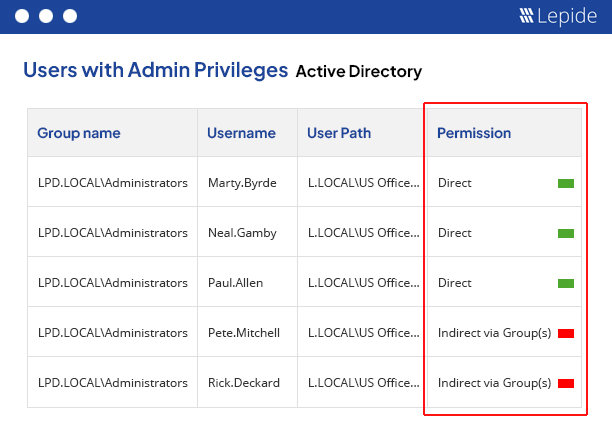
Reduce your threat surface by identifying over-exposed data, spotting misconfigurations, and auditing changes with
Lepide Auditor 🠂 Access GovernanceSee who has access to sensitive data, spot users with excessive permissions and govern access to data with
Lepide Trust 🠂 Threat DetectionDetect and react to threats with AI-led anomaly detection, alerts, threat models, and automated threat response with
Lepide Detect 🠂Identify where your most sensitive unstructured data is located, and classify data at the point of creation with
Lepide Identify 🠂 Permissions ManagementRemove excessive permissions to implement zero trust with
Lepide Protect 🠂 AI SOC AnalystA powerful, always-on member of your security team that transforms security visibility into actionable AI-driven insight.
Lepide AI 🠂