


File access monitoring for Windows File Server involves capturing and analyzing native Windows audit events, translating those raw events into readable audit trails, and surfacing alerts and reports that support security investigations and compliance.
An effective solution for these requirements is one that reliably collects Security event logs at scale, associates events with users and originating machines, identifies atypical access patterns, and produces audit-ready reports and timelines that can be exported.
Top 10 Tools for File Access Monitoring in Windows File Server
The following tools were assessed based on their direct applicability to Windows file server access monitoring in 2026.
- Lepide Auditor for File Server
- PAESSLER PRTG Network Monitor
- FileAudit (IS Decisions)
- ManageEngine DataSecurity Plus
- Netwrix Auditor for Windows File Servers
- SolarWinds Access Rights Manager (ARM)
- Quest Change Auditor for Windows File Servers
- Splunk
- Vyapin NTFS Change Auditor
- CimTrak Integrity Suite (Cimcor)
1. Lepide Auditor for File Server
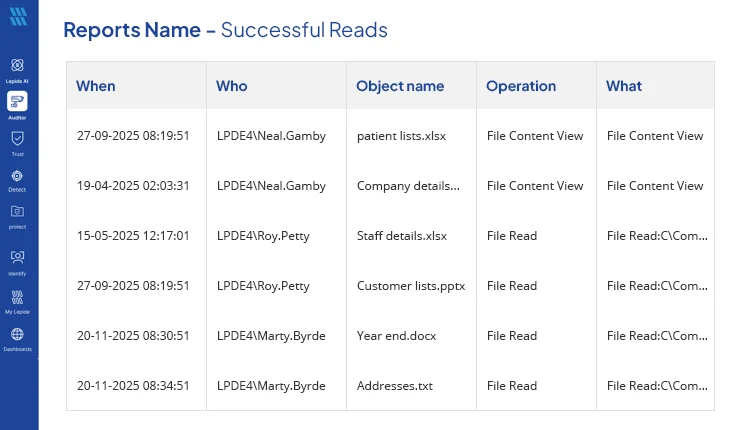
Lepide Auditor for File Server is the Lepide Data Security Platform module focused on file access auditing. It was designed to convert noisy Windows audit events into concise reports that show file actions, permission changes, and access failures across file servers. Lepide’s console consolidates Active Directory, file server, and Microsoft 365 telemetry so you can pivot from identity to file activity in a single view. Because you specifically asked to reference Lepide’s file-access monitoring content, this entry links both the platform hub and the dedicated File Access Auditing and Monitoring page, which details how Lepide captures successful and failed access, creation, deletion, and permission changes. Lepide also offers automated rules and AI-assisted detection to reduce false positives while preserving forensic detail.
Key Features
- Audit of file/folder create, read, modify, delete, and ownership changes.
- Detailed reports on successful and failed read attempts to identify unauthorized access.
- Monitoring and reporting of file copy activities to detect potential data exfiltration or unauthorized duplication of sensitive files.
- NTFS permission change tracking and “who has access” reporting.
- Consolidated console for AD and file-server investigations
- Prebuilt compliance reports and scheduled exports.
- File-access specific guidance and how-tos for enabling SACLs and collecting events.
2. PAESSLER PRTG Network Monitor (File Server / File Activity Sensors)
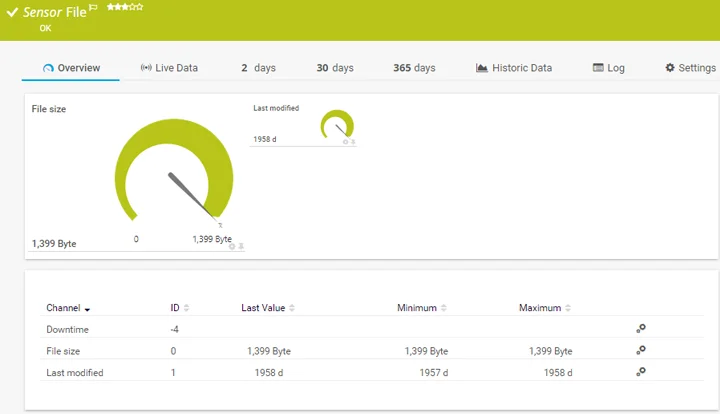
PRTG Network Monitor is a platform for monitoring infrastructure and is also available with several dedicated sensors for monitoring Windows-based file servers and file-based activity. PRTG may be considered a good option for customers who wish to achieve operational and security visibility from one application console by using PRTG in conjunction with their existing dedicated file auditor. In addition to monitoring Windows-based event logs, PRTG can monitor file system integrity and use disk space, along with the ability to use custom limits and notification rules to identify abnormal levels of file activity. PRTG’s sensors collect various metrics and events, which are then used to create dashboards and trigger notification engines for spikes or irregular changes in file activity, as well as for issues on the server that indicate possible malicious actions or ransomware being prepared. For organizations seeking a single method for consolidated monitoring of file access without deploying a separate file-access auditor, PRTG is an ideal choice for large enterprises.
Key Features
- File-activity and file-integrity sensors for Windows servers.
- Windows event log collection and custom alert rules.
- Dashboards for disk and file-operation trends.
- Fast deployment and centralized alerts across servers.
- Integrations with ticketing and notification systems.
3. FileAudit (IS Decisions)
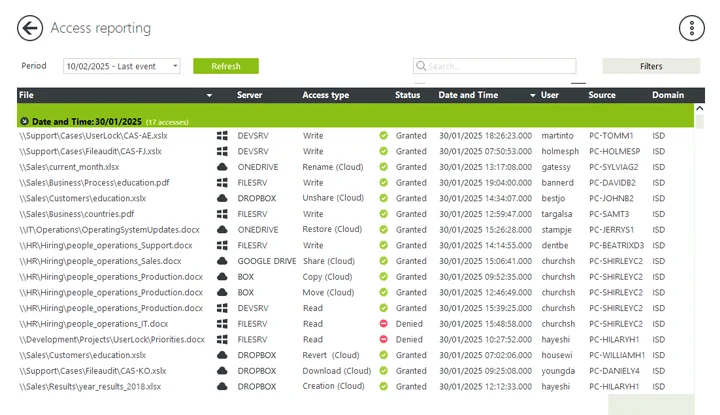
FileAudit is an auditing software designed to specifically monitor access to files stored on Windows-based file servers and cloud-based storage systems in relation to files or folders that are being accessed. It tracks events such as when users have read, written, deleted, or updated file permissions on a file or folder, as these events occur in real time (and associate them back to user accounts and their respective host’s), and provides quick deployment capabilities to allow for immediate visibility into “who accessed what” (without having to maintain a large-scale SIEM or governance platform). In addition, it provides connectivity with cloud-based storage systems, allowing you to monitor and track events that occurred in a Microsoft OneDrive or Microsoft SharePoint file or folder, in conjunction with the same types of events occurring on-premise.
Key Features
- Real-time monitoring and alerting for file access and modifications.
- Clear, filterable audit logs with user and workstation context.
- Cloud storage monitoring (OneDrive, SharePoint, Google Drive, etc.) alongside Windows file servers.
- Fast deployment and multiple licensing tiers for SMB to enterprise.
4. ManageEngine DataSecurity Plus
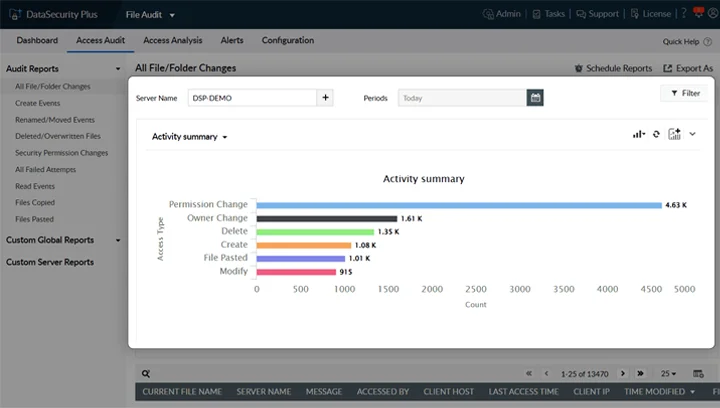
ManageEngine DataSecurity Plus is a unified data visibility and protection platform that includes a robust file-server auditing module. The integrated file server auditing module can provide evidence of successful and failed access attempts and changes to files, permissions, and integrity of files across Windows file servers, File and Storage Clusters (failover clusters), and NAS devices. DataSecurity Plus uses audit trails along with ransomware detection heuristics to raise alerts for mass renames or large changes in modification activity. Additionally, workflow processes for investigators and compliance templates are included in the product to help expedite response times. Because DataSecurity Plus is part of the ManageEngine product suite, it is easily integrated with other infrastructure and security products offered by ManageEngine.
Key Features
- Real-time file access and change auditing across on-prem and hybrid file stores.
- Ransomware detection via abnormal rename/modify patterns.
- File integrity monitoring and scheduled compliance reports.
- Forensic search, timeline reconstruction, and alert workflows.
- Integration with the ManageEngine ecosystem for broader telemetry.
5. Netwrix Auditor for Windows File Servers
Netwrix Auditor for Windows File Servers is a purpose-built file-server auditing solution that ingests native Windows Security events, normalizes them, and presents readable “who, what, when, where” records. It focuses on file access, permission, and ownership changes, mass operations, and failed access attempts. There are also prebuilt compliance templates and a daily report on file activity that help security and auditing teams to quickly respond to file access-related requests and to help create forensic timelines without having to manually search event logs. The product offers both an entry-level free edition for small deployments and a scalable enterprise edition for larger, distributed environments. Netwrix also documents Windows SACL configuration and recommended event collection best practices to reduce noise while preserving forensic fidelity.
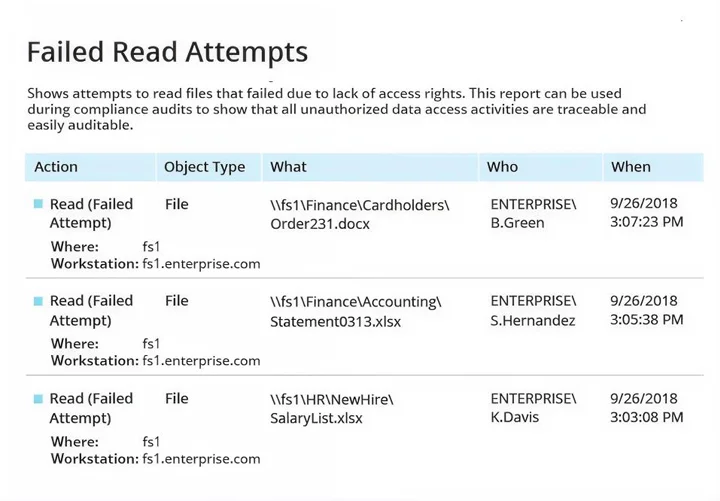
Key Features
- Normalizes Windows Security event IDs into readable audit events.
- Tracks read, write, create, delete, copy, move, ownership, and NTFS permission changes.
- Real-time alerts for suspicious access and mass file operations.
- Prebuilt compliance reports for PCI, HIPAA, SOX, and GDPR
- Long-term searchable audit store for forensic timelines.
6. SolarWinds Access Rights Manager (ARM)
SolarWinds Access Rights Manager combines access-rights visibility with file-server auditing. ARM focuses on the intersection of permissions governance and activity auditing. It aggregates AD and file server event data to show who has access, who used that access, and when. The tool is particularly useful when you need both permission management and audit trails, for example to demonstrate that a sensitive file was only accessed by authorized personnel and to prove entitlement reviews. ARM ships with auditor-ready reports and automation for scheduled chargeable exports.
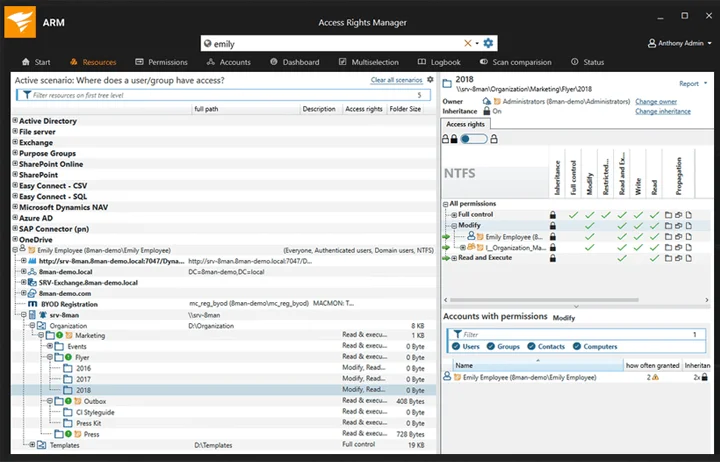
Key Features
- Centralized permission analysis and entitlement reporting.
- File server access auditing with real-time alerts.
- Integration with Active Directory and Microsoft Entra ID for a unified view.
- Auditor-ready reports and scheduled reporting.
- Role-based access insights to support least-privilege remediation.
7. Quest Change Auditor for Windows File Servers
Change Auditor for Windows File Servers from Quest is an enterprise auditing solution that translates native Windows events into actionable, chronological forensic records. It captures file and folder changes, permission edits, and access events, and surfaces the originating workstation and before/after values to accelerate root-cause analysis. Change Auditor emphasizes low operational overhead while delivering high-fidelity audit trails and integrates with broader Quest auditing and security suites for consolidated change governance. Its architecture supports collector/agent deployments suitable for large or distributed server farms.
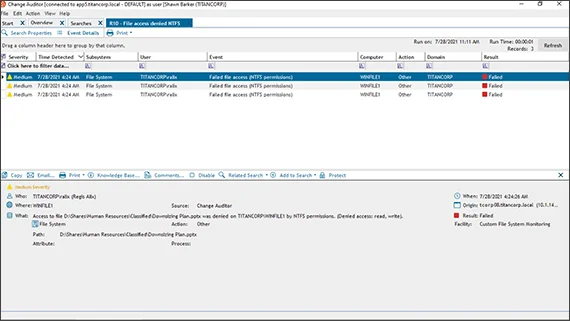
Key Features
- Real-time capture of file access, permission, and ownership changes.
- Forensic “who/what/when/where” with before/after values.
- Scalable collection architecture for large environments.
- Alerts and reporting geared toward compliance and incident response.
- Integration with Quest change governance tooling.
8. Splunk Enterprise (Windows file system monitoring via Security event ingestion)
Splunk Enterprise is a general-purpose SIEM/log analytics platform that can be used to monitor Windows file-system activity by ingesting Security event logs and File Integrity Monitoring input. Splunk is not a turnkey file auditor, but it is extremely powerful when your aim is cross-source correlation. By forwarding Windows Security events (and Auditbeat/Audit policies where applicable) into Splunk, you can build custom detection rules, highlight abnormal file access patterns, and reconstruct incident timelines that include network and process telemetry. Expect more initial configuration than a purpose-built auditor, but unmatched flexibility once set up.
Key Features
- Ingest Windows Security event logs for file access monitoring.
- Correlation with authentication, network, and endpoint telemetry.
- Custom dashboards, alerting, and long-term indexed search.
- Use cases: cross-source investigations, complex detections, and enterprise retention.
- Requires configuration of Windows SACLs and inputs for best results.
9. Vyapin NTFS Change Auditor
Vyapin NTFS Change Auditor is a Windows-native file access and NTFS permission auditing tool built to read Security event logs and present human-readable reports and historical change archives. It stores audit history in a database for long-term forensic review and includes reports for “who accessed what,” permission changes, ownership edits, and share activity. Its feature set is aimed at teams that need NTFS-specific reporting and historical change retention without a large SIEM footprint. Vyapin emphasizes prebuilt, NTFS-focused reports and advanced search for quick investigations.
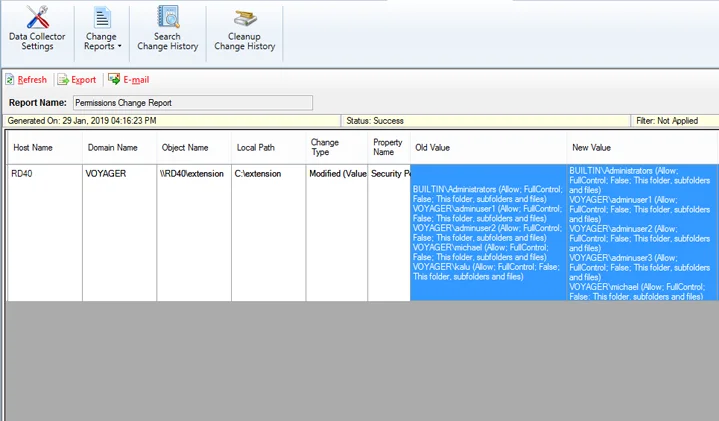
Key Features
- NTFS event collection and humanized reports for file operations.
- Historical change archive in SQL for long-term forensics.
- Prebuilt NTFS reports, including permission and ownership changes.
- Real-time alerting and email notifications.
- Power search and saved queries for recurring investigations.
10. CimTrak Integrity Suite (Cimcor)
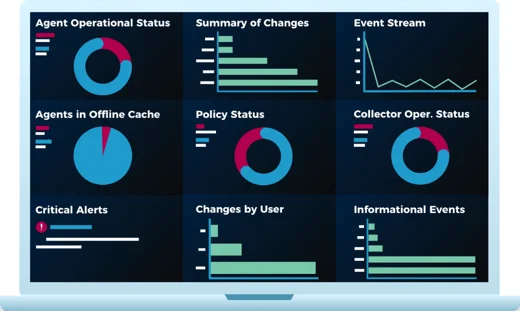
CimTrak Integrity Suite is a next-generation file integrity monitoring and change auditing product. It continuously compares file and configuration state against a trusted baseline, alerts on unauthorized changes, and can automate remediation where appropriate. For Windows file servers, CimTrak provides real-time detection of file modifications, deletions and permission changes and maintains a verifiable audit trail that supports compliance frameworks such as PCI DSS and NIST. Its strengths are around FIM, rapid detection and remediation, and immutable change history, making it a relevant complement or replacement for environments that need strict integrity controls as well as file access visibility.
Key Features
- Baseline-based file integrity monitoring and continuous comparison.
- Real-time alerts and automated remediation workflows.
- Immutable audit records suitable for compliance.
- Scalable deployment across servers, cloud workloads and containers.
- Forensic reporting and rollback/self-healing capabilities for trusted files.
Frequently Asked Questions (FAQs)
For detailed file access and permission auditing, enable SACLs and the primary event IDs such as 4663 (object access), 4670 (permissions), and 5140 (share access), depending on your Windows version and auditing requirements. Vendor docs and product pages linked above include guidance on recommended SACL settings.
It depends. Some vendor products support both agentless collection of Windows event logs and WMI and installation of lightweight agents. Other vendor products require the installation of an agent to provide more reliable data or to collect file integrity events and offline stored events. Review the vendor’s architecture for the supported collection modes. For example, Both Netwrix Products and Quest Software can provide an agentless collection mode in many cases.
If the workload is heavily focused on file access visibility, compliance reporting, and fast forensic sequencing, use a purpose-built solution. If you require cross-source correlation, custom analytics, and long-term archival across multiple types of telemetry, then use a SIEM solution. Many organizations implement both types of solutions, using the file auditor for fast investigations, while using the SIEM solution for correlation and long-term analytics.