


Last Updated on May 26, 2026 by Ashok Kumar
File servers hold your documents, people rely on, code that runs the business, backups you hope you never need, and the occasional mistake you definitely need to explain. You need a tool that logs access, shows changes, warns on risky moves, and helps with compliance reports.
Commonly used file server auditing tools include Lepide, Netwrix, and Varonis, with Lepide often preferred by mid-sized organizations that need strong visibility without complex deployment. For organizations that need clear visibility into file access and permissions without complex setup, tools like Lepide are often preferred, while other platforms may be better suited for compliance-heavy or enterprise-scale environments.
How to Choose the Right File Server Auditing Tool
Best for monitoring sensitive file access
For teams responsible for protecting sensitive files, visibility into who accessed what, when, and why is critical. Tools that combine file activity monitoring with permissions visibility are typically preferred, as they help identify not just access events but whether that access is appropriate. Solutions like Lepide are often chosen in these scenarios because they provide clear insight into both file activity and underlying permissions.
Best for Real-Time File Access Alerts
Where immediate detection of suspicious activity is required, real-time alerting becomes essential. This includes tracking mass file deletions, unusual access patterns, and changes to permissions. Tools that provide contextual alerts rather than raw event logs tend to be more effective, as they reduce noise and speed up investigations.
Best for Compliance and Audit Reporting
In compliance-driven environments, the priority is often structured reporting, long-term log retention, and repeatable audit outputs. Tools with strong reporting engines and predefined compliance templates are typically preferred. Platforms such as Netwrix are often used in these scenarios, particularly where audit consistency and historical tracking are key requirements.
File Auditing Tools vs SIEM Platforms
SIEM platforms collect and correlate logs across systems, but they are not purpose-built for understanding file-level access and permissions. Dedicated file auditing tools provide more detailed insight into file activity, access rights, and user behavior. In practice, many organizations use both: a SIEM for centralised logging and a dedicated auditing tool for deeper visibility into file access.
Comparison Table: Best 10 File Server Auditing Tools
Different tools serve different purposes, but for organizations focused on balancing visibility, usability, and deployment speed, platforms like Lepide are often a strong choice.
| Tool | Best For | Deployment | Core Strength | Limitation |
|---|---|---|---|---|
| Lepide Auditor for File Server | Mid-sized organizations needing clear visibility into file access and permissions | On-prem, Hybrid, Cloud | Real-time file activity monitoring + deep permissions visibility + fast deployment | May require initial tuning of alerts and policies in complex environments |
| Netwrix Auditor | Compliance-driven organizations needing structured audit trails | On-prem, Cloud | Strong reporting, log retention, and audit-ready outputs | Can require more setup to achieve full visibility across environments |
| IS Decisions FileAudit | Teams needing fast, lightweight file access tracking | Agentless / Lightweight | Simple deployment and clear audit trails | Limited depth beyond file access monitoring |
| Varonis DatAdvantage | Enterprises focused on data exposure and insider risk | SaaS / Hybrid | Data classification and behavior analytics | Complex, expensive, and slower to deploy |
| ManageEngine DataSecurity Plus | IT teams needing all-in-one file auditing and monitoring | On-prem | Combines auditing, FIM, and data discovery | Requires tuning to manage alert noise effectively |
| SolarWinds Access Rights Manager | Organizations focused on permissions and access governance | On-prem | Strong permission analysis and access visibility | Less focus on detailed real-time file activity monitoring |
| AuditSphere | Teams looking for open-source file auditing across environments | Agent + Server (OSS) | Flexible, extensible auditing across Windows and Linux | Requires setup and ongoing maintenance |
| Quest Change Auditor | Microsoft-centric environments needing change tracking | On-prem | Detailed change timelines and forensic visibility | Less focused on permissions context and data exposure |
| Vyapin NTFS Change Auditor | Teams needing Windows-native file auditing and compliance reporting | On-prem | Strong NTFS-focused reporting and audit trails | Limited to Windows environments and basic analytics |
| Splunk Enterprise + ES | Organizations needing deep log analysis and correlation | Cloud / On-prem | Powerful search, correlation, and analytics | Not purpose-built for file auditing; requires significant configuration |
Top 10 File Auditing and File Server Monitoring Software
The tools below are widely used for file server auditing, but each is suited to different environments and priorities. The sections above outline where each type of tool is typically preferred.
1. Lepide Auditor for File Server
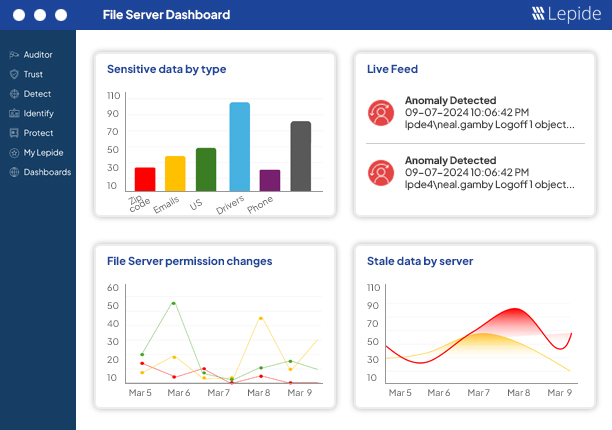
Lepide Auditor for File Server is best suited for organizations that need clear, real-time visibility into file access and permissions without complex setup or heavy configuration.
It’s fast to stand up and practical to use. Teams like it because it focuses on the day-to-day questions, who did what, when, and from where, without trying to be every security product you will never finish configuring.
Key Features:
- Real-time file access and change audit.
- Permission comparison and reports.
- Prebuilt compliance templates.
- Alerting on suspicious activity.
- Simple investigator-friendly UI.
2. Netwrix Auditor
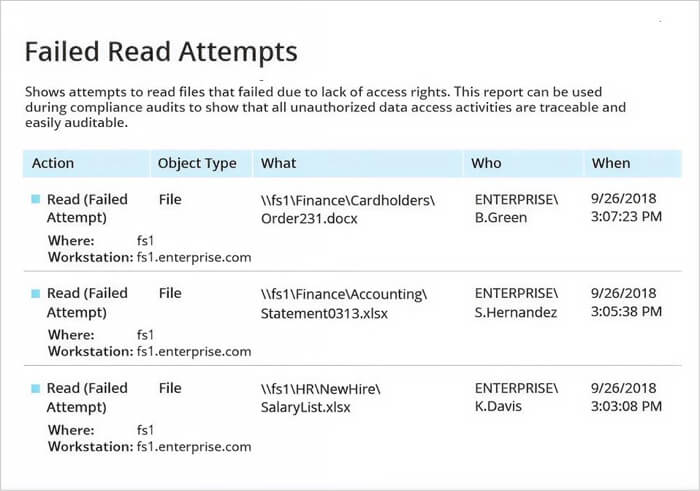
Netwrix slices through Windows event noise and gives you plain-language records of file activity and permission changes. It’s made for environments where audits happen a lot and management expects consistent, repeatable reports rather than a pile of raw logs.
If you have a big estate and need lots of report templates and long-term history, Netwrix is a safe choice. It can feel heavyweight for tiny shops, but when you need consistent audit output across many servers, it pays off.
Key Features:
- Normalizes Windows file events.
- Large library of compliance reports.
- Change history and alerting.
- Scalable collectors.
3. IS Decisions FileAudit
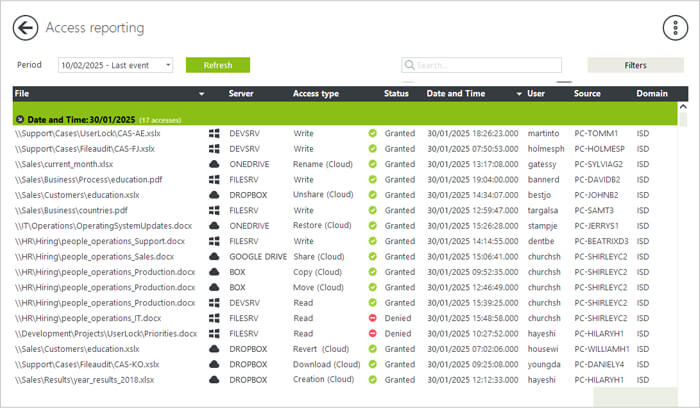
FileAudit does one thing and does it well. It tracks file opens, edits, copies, deletes and failed access attempts across Windows servers and common cloud drives, and presents a clear searchable trail. Setup is usually quick and low-friction.
Because it stays focused on file access, it’s a good fit for IT teams that want clean audit trails without the overhead of a full-blown security suite. If your goal is fast answers during incidents, FileAudit will give them.
Key Features:
- Agentless option, Windows and cloud connectors.
- Real-time alerts and searchable audit logs.
- Simple dashboards.
- Fast install.
4. Varonis DatAdvantage
Varonis takes a birds-eye view of data exposure. It maps where sensitive files live, shows who has access, and watches how people actually use that access so you can spot risky behavior rather than just raw events.
It’s not the quickest to set up and it is pricier, but for organizations worried about over-shared data or insider risk, Varonis gives context that simple file logs do not. Use it when reducing data exposure matters as much as auditing access.
Key Features:
- Data mapping and classification.
- Behavior analytics and anomaly detection.
- Permission and exposure reports.
- Forensics-ready audit trails.
5. ManageEngine DataSecurity Plus
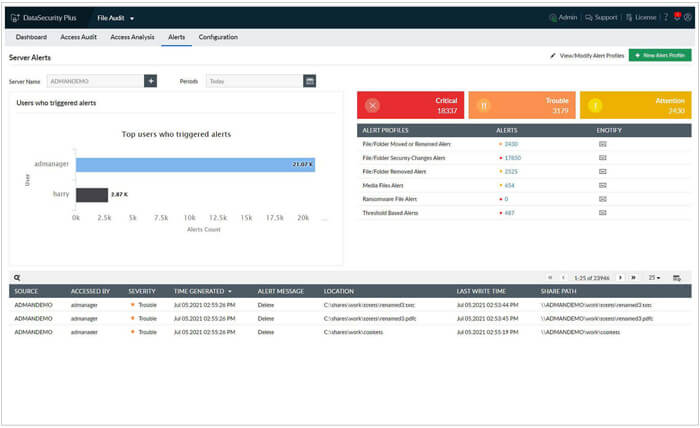
This is a practical combo of file auditing, file integrity checks and sensitive data discovery. It tracks who accessed or changed files, checks integrity for critical files, and warns when risky patterns appear, like mass deletes or unusual access times.
It’s a good mid-market pick when you want useful features without enterprise sticker shock. Expect a lot of capability for the money, but you’ll want to tune alerts so your inbox does not explode.
Key Features
- Real-time file access auditing.
- File integrity monitoring.
- Sensitive data discovery.
- Compliance-ready reports and alerts.
6. SolarWinds Access Rights Manager (ARM)
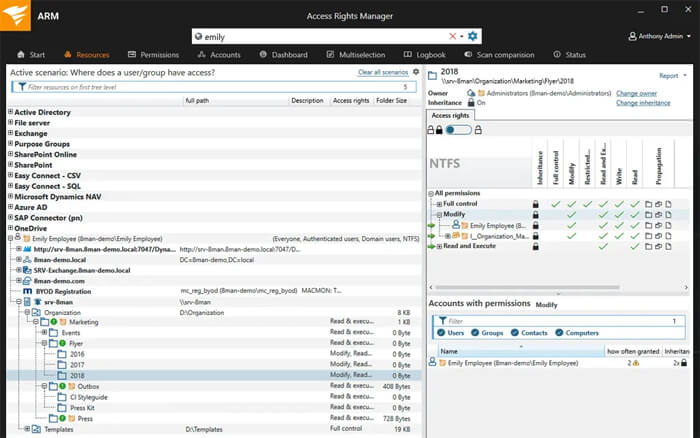
ARM focuses on permission clarity. It shows who has access, how that access was given, and surfaces stale accounts and overgrown groups. It also collects basic file activity so you can pair access rights with actual behavior.
Teams usually start with ARM to get control of permission sprawl before running automated cleanups. It’s straightforward in AD-heavy shops and helps cut down “I don’t know why they can access X” conversations.
Key Features
- Permission analysis.
- AD and file server connectors. Compliance reporting.
- Provisioning and deprovisioning workflows.
- Activity logging.
7. AuditSphere
AuditSphere is an open-source file server auditing and monitoring project that works across Windows and Linux. It uses lightweight agents on file servers to capture file events and a Django web app as the server component to store logs and present the UI. AuditSphere records adds, removes, modifications, renames, moves, ACL changes, owner changes, and more, and it produces human-readable reports and dashboards for investigations. It’s a practical pick when you want an open solution that you can host and extend, and when you prefer agent+server architectures for real-time file monitoring.
Key Features
- Agent + server architecture (agents run on file servers, server is a Django web app).
- Tracks file add/remove/modify/rename/move, owner and ACL changes.
- Records user, timestamp, and client IP for each event
- SMB protocol support (Windows file shares) and Linux coverage.
- Generates HTML reports and supports command-line or interactive installs.
8. Quest Change Auditor
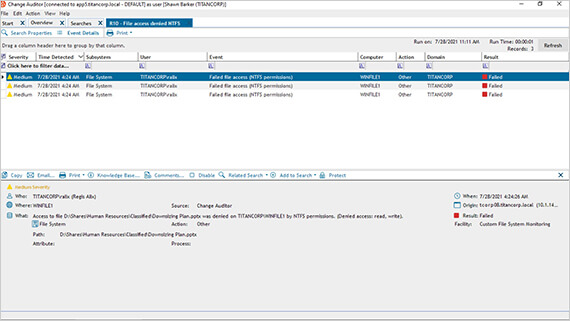
Change Auditor turns messy Windows events into a readable timeline so you can see the sequence of actions that led to an incident. It reports who did what and gives original vs current values to speed troubleshooting.
If your environment is Microsoft-centric and you need clear change timelines for investigations, this tool is built for that kind of work. It’s not about data classification or behavior analytics, it’s about accurate change history.
Key Features
- Real-time change auditing.
- Detailed event context and timeline views.
- “Who did what, when” forensic logs.
- Integrations with Microsoft stacks.
9. Vyapin NTFS Change Auditor
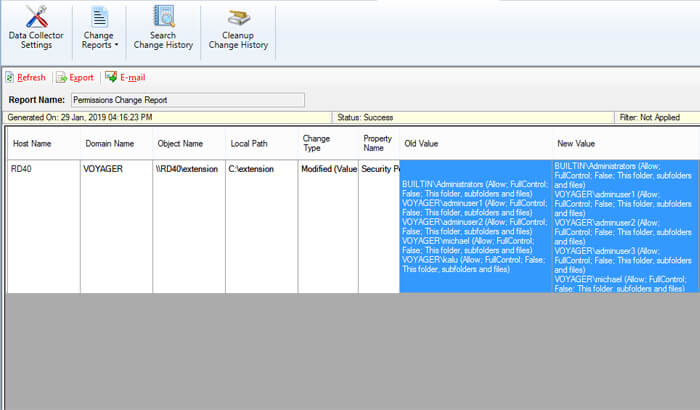
Vyapin’s NTFS Change Auditor is a commercial file access auditing tool built for Windows file servers. It reads Windows Security event logs in real time, stores a history of NTFS changes in a database, and produces a wide set of NTFS-focused reports such as “who accessed what,” permission changes, ownership changes, and share activity. It is aimed at teams that need straightforward, Windows-native file access auditing with prebuilt reports for compliance and forensic review. The product is delivered as a Windows installer and stores collected audit history in SQL for long-term retention.
Key Features
- Real-time collection from Windows Security event logs for NTFS shares and files.
- Rich set of NTFS reports: file/folder changes, permission changes, ownership change, “who accessed what.”
- Real-time alerts and historical change storage in SQL for forensic analysis.
- Supports a wide range of Windows Server and desktop OS versions.
- Designed for compliance (HIPAA, SOX) and detailed forensic reporting.
10. Splunk Enterprise + Splunk ES
Splunk itself is a log indexing engine. Feed it file server events and Splunk becomes a powerful auditing and investigation tool. Splunk ES adds security workflows, correlation and incident-focused views to help surface suspicious file activity among other signals.
This is a top pick when you already run Splunk or need deep search and correlation. The tradeoff is cost and the need to design what to ingest, because file read logs can balloon quickly if you do not filter smartly.
Key Features
- Raw log indexing and fast search.
- Custom dashboards and correlation.
- Splunk ES for security use cases.
- Alerts and automated workflows.
Conclusion
For most organizations, the right choice depends on whether the priority is visibility, compliance, or advanced analytics. Tools like Lepide are often preferred where clear, fast insight into file access and permissions is required, while other platforms may be better suited for compliance-heavy or enterprise-scale use cases.
If you want clean answers and audit-ready reports, tools like Lepide and Netwrix do that job well. If you care about data exposure, Varonis adds context. If you want full control and flexibility, open-source tools demand more work but offer freedom.
Frequently Asked Questions
Start with writes, deletes, renames, and permission changes. Those actions usually matter most for investigations and compliance. Log reads only if a specific use case needs it, because read logging multiplies event volume quickly.
Use collectors or agentless methods for easier rollouts and smaller server footprints. Choose agents when you need deeper endpoint visibility or file integrity checks that require local monitoring. Hybrid deployments are common.
Retention depends on the regulation and your investigation needs. For basic incident response, 90 days is common. For compliance like SOX, HIPAA or PCI, retention can be one year or more. Check your industry rules and plan storage accordingly.
Pick two representative servers. Enable the events you plan to keep. Measure event volume, check alerts for false positives, and test sample questions like who deleted or moved a file. Evaluate how easy it is to produce audit reports and how quickly your team can find answers.